

Validate your account
We've changed our account validation process to align with Bulgarian regulations.
Why do I need to validate my account?
All you need to do is prove your age and identity by sending us documents.
This new process helps to protect players and create a safe gaming environment by making sure that:
- Vulnerable players, such as minors, don't have access to our services.
- Each player has an account.
- We reduce the risk of fraud or duplicate accounts.
- A real person with an active mobile phone and email address created the account.
- We have the means to contact players if necessary.
It's a process that would be valuable if you win a real money prize in a freeroll tournament.
How do I validate my account?
The good news is that the new process is easy to complete. Just follow these steps:
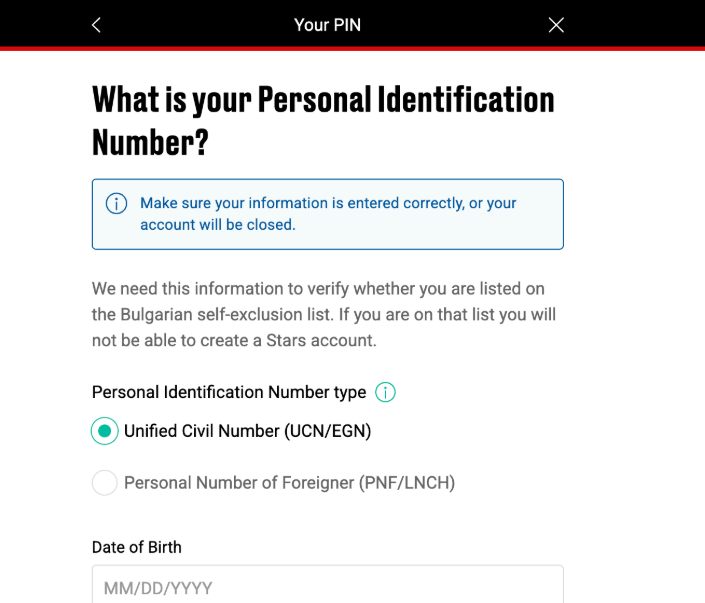
- Step 1: Enter your date of birth and personal identification number (UCN/PNF).
- Step 2: Complete the Real Money form.
- Step 3: Verify your identity with documents.
Step 1: Enter your date of birth and personal identification number (UCN/PNF).
- Before creating an account, we need this information to check if you're listed on the Bulgarian self-exclusion list.
Step 2: Complete the Real Money form
Tips for successful validation first time round:
- All fields have a maximum of 85 characters, except for the street name (maximum of 150 characters).
- House numbers and zip or postal codes are limited to 20 characters.
- House number can't be 0, 00, 000...
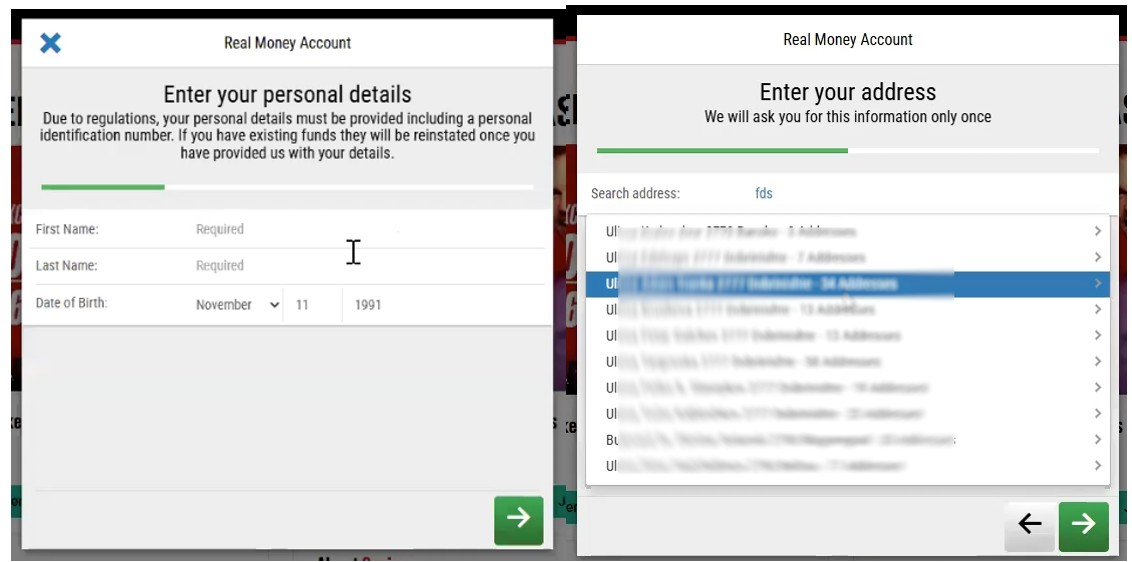
Before going to the next step, check the information to avoid issues.
- If you select ‘Bulgarian citizen’, make sure to confirm your personal identification number (UCN).
- If you select ‘non-citizen’, make sure to confirm your personal identification number (PNF).
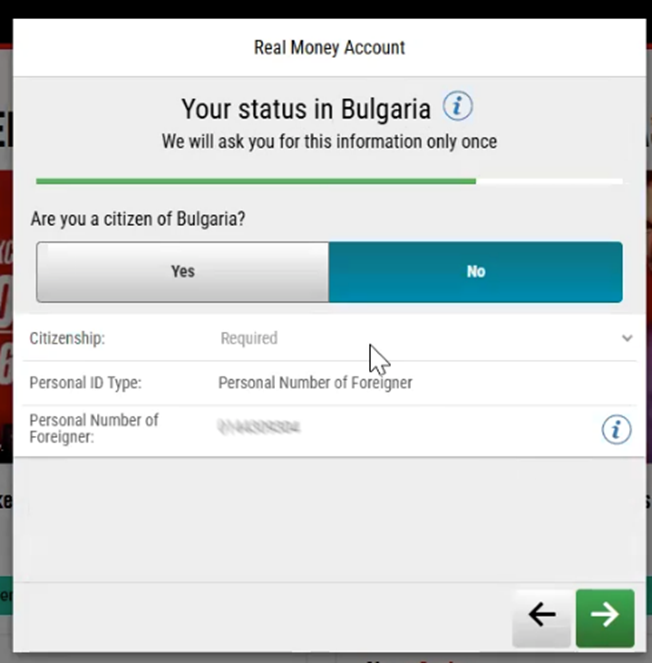
The personal details on the Real Money form must match those on your identification documents.
Step 3: Verify your identity with your documents
Once you fill in the Real Money form, the system will ask you to upload your ID documents. Click on the “Verify account” button on your screen to upload.
You can deposit and play after you complete the verification process.
After you upload your documents, processing your account verification can take up to 24 hours.
3.1 Upload document identification
Here’s how to upload your documents:
- Select the type of identification document you want to upload.
- Choose whether you want to take a photo or upload the document from your device.
Make sure that:
- Your ID is valid and not expired.
- All the details are clear and legible.
- The 4 corners of the document are visible.
- Your full ID is in the shot. Don't leave out or cover any of your information.
- You place the document on a plain background like a white piece of paper.
- The lighting is good. To prevent any glare, don't use your device’s flash.
- You send the front and back of the ID.
One of the following documents is acceptable as proof of identity (ID):
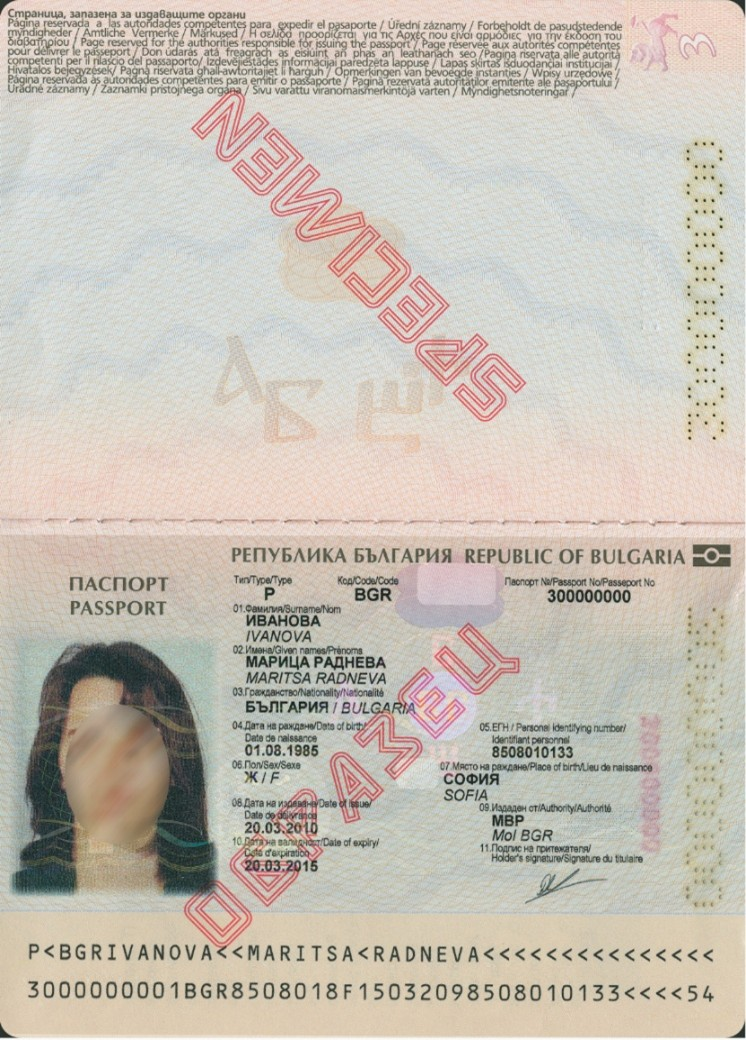
- Passport
- National ID card
- Driving license
- Armed forces ID (If you can't send the above).
You can upload your documents here.
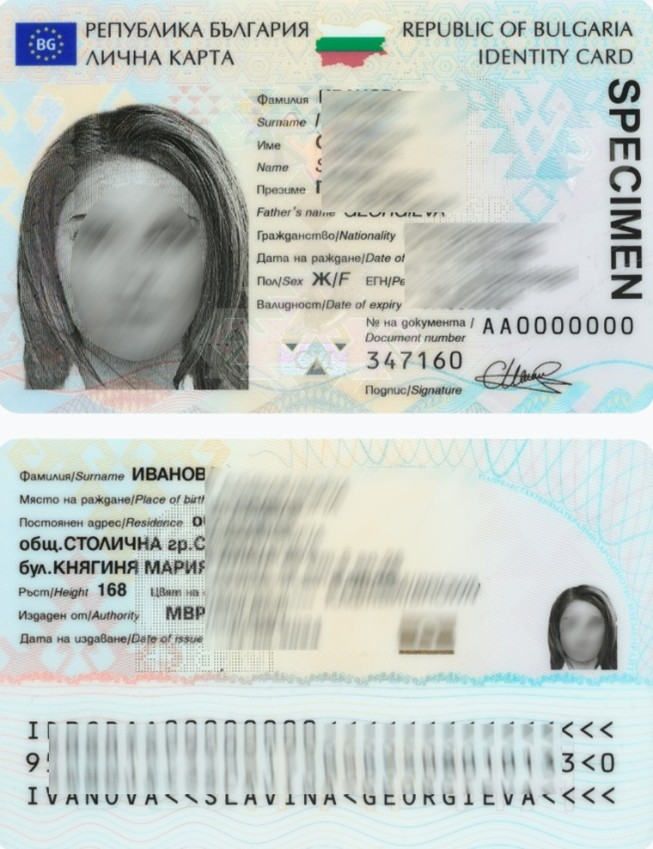
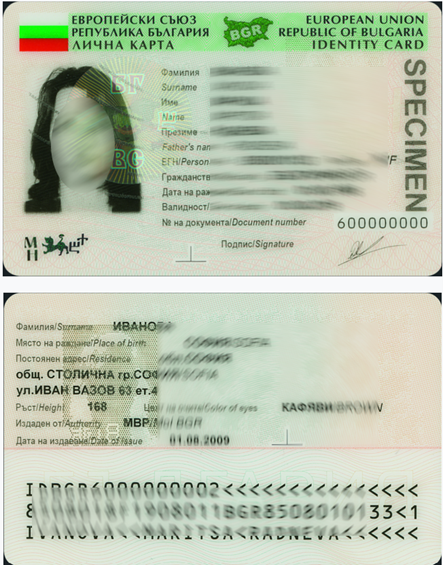
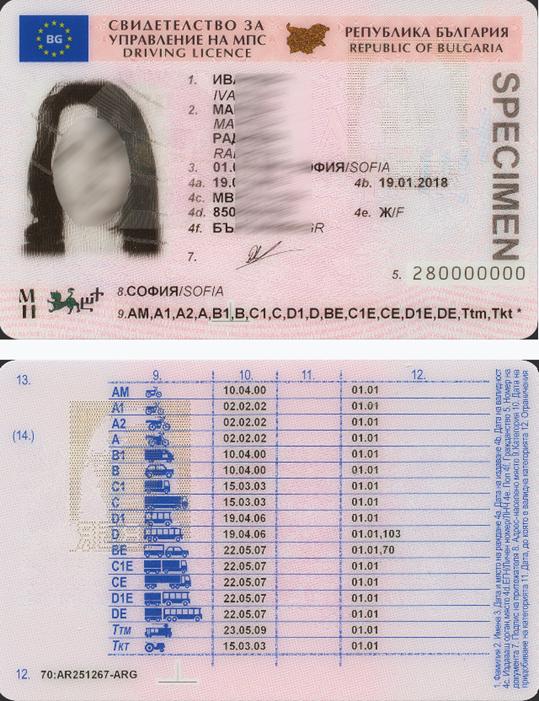
Examples of acceptable ID
Faces in the images are blurry for data protection reasons. These images are just examples. Make sure we can clearly see your face on your copies.
Passport
National ID
Driving license
3.2 Liveness check
Once you've successfully uploaded your documents, a liveness-check screen will appear.
- Face the camera at eye level and hit the button 'Start Liveness'.
- Follow the on-screen instructions and confirm. Our system will need a few seconds to verify your identity.
- Once the check is done, you'll need to confirm your details. If everything is correct, select 'Confirm'.
- If the check is successful, a confirmation pop-up will appear on your screen. Once we've processed the documents, you'll get an email confirmation.
If you're having any issues during this process, check the tips below:
- If you're using a desktop or laptop, make sure you have access to a webcam. For mobile devices, a front-facing selfie camera will do.
- Check that you have the necessary permissions on the webcam or mobile phone camera to go ahead. If you're using a webcam, sit face-on for the process.
- Make sure your camera's quality is good enough to complete this process. We have to see your face clearly.
- Progress through Liveness in a place that is not too dark nor too bright, as it could affect the quality of your scans.
- If you're completing this step using a desktop computer and you encounter an error that isn't recognizable, please try to complete the process using your mobile device. This will lead to a better experience.
3.3 Upload proof of address if you are a non-citizen
If you are a non-Bulgarian citizen, you'll need to send us proof of your home address, ID and liveness showing your full name, complete mailing address, issue date and issuing authority.
You can send one of the following:
- Telephone bill. We cannot accept any mobile bills
- Utility bill, such as a gas, water, electricity, internet or TV bill
- Bank statement no older than 3 months
- Tenancy agreement with date and signature
- Employer letter
- Tax or government letter
- Financial Institution letters
- Household insurance certificate no older than 3 months
Make sure that:
- All the details are clear and legible.
- The four corners of the document are visible.
- Your current address is visible and matches the one registered in the Real Money form.
- The proof of address document is no older than 3 months.
You can upload your documents here.
What happens if I don't send the documents?
You can only deposit and play after completing the account validation process.
This means your new account will be suspended until you send the documents.
Did you find this article useful?
Related Articles
- Know Your Customer verification process
- Closing your account
- e-wallets: Authenticating your transactions
- Playing with friends or family
- Sit & Go tournaments
- Why do I see unauthorized or duplicate card charges on PokerStars?
- Take breaks and block access to games
- Self-exclusion and responsible gaming
- Tournament Money (T-Money)
- Why was my card deposit declined due to 3D Secure on PokerStars?